
School Meals
School Meals at Alwoodley Primary School
Our scrumptious healthy school dinners are freshly prepared and served by our new catering company, FM Catering Services. A new flexible system has been introduced where children choose their meal for the day each morning at registration with their teacher. Please ensure that if you bring your child in late you choose a meal with them and communicate this to our front office staff.
Dinner money should be paid in advance of any meals taken and you can pay for the week / month / term.
Nursery and Year 3-6 meals cost £2.70 a day and are payable weekly at £13.50 per week.
Reception, Year 1 and Year 2 meals are provided FREE of charge as part of the Government Universal Infant Free School Meal scheme (UIFSM).
Please see the menu and other information below.
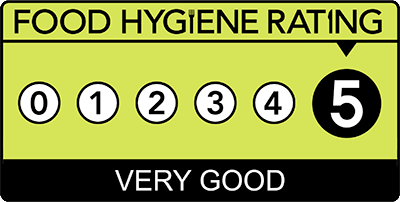
'Scores On The Doors' Food Hygiene ELITE AWARD
Congratulations to Mrs Lee and the Kitchen Team on being awarded the 'Scores On The Doors' ELITE AWARD for food hygiene! This has been awarded for gaining top scores in the last five food hygiene inspections! Well done!


School Meals – ParentPay Information
At Alwoodley Primary School, we use FM Catering for our school meal services. All meal payments must be made directly to FM Catering via ParentPay. This ensures payments are processed securely and efficiently, and supports our aim to remain a cash-free school.
All parents and carers should now have activated their ParentPay accounts.
Making Secure Payments Online
ParentPay allows you to make payments anytime, anywhere, using your credit or debit card, with the highest level of internet security.
You will have a secure online account, activated with a unique username and password. Once logged in, you can:
- Make payments instantly
- View your payment history
- Link multiple children (even across different ParentPay schools) to one account
- Keep card details secure (ParentPay does not store card information)
As soon as your account is activated, you can start making online payments immediately.
If you require cheque payments in exceptional circumstances, please contact the Finance Office.
For more information, please visit www.parentpay.com.
ParentPay FAQs
When can I log in?
Once you have received your activation letter with your login details, you can activate your account and begin making payments.
Which cards can I use?
ParentPay accepts:
- MasterCard, Visa, American Express (credit)
- Maestro, Switch, Delta, Electron, Solo, Visa (debit)
(Some restrictions may apply for specific transactions. The school will notify you if so.)
Is online payment secure?
Yes. ParentPay uses encrypted communication with banks. Neither the school nor ParentPay can access your card details.
How do I check a website is secure?
A secure web address begins with https:// and displays a padlock icon in the browser window.
Never enter card details on a page without these security indicators.
What about my personal data?
ParentPay complies with all UK Data Protection laws, including GDPR.
Their Terms and Conditions and Privacy Notice are available here:
- Terms & Conditions: https://www.parentpay.com/schools/school-terms-and-conditions/
- Privacy Policy: https://www.parentpay.com/privacy-policy/
ParentPay will never contact you asking for passwords or card numbers.
If you receive a suspicious request, contact ParentPay on 02476 994 820.
I don’t have a home computer – what can I do?
You can access ParentPay via:
- Your mobile phone
- A tablet
- A local library
- A computer at work